See what is open now
Start with learning opportunities, deadlines, and resources that are currently open or worth checking for the next cycle.
See current opportunities
Independently curated guide. Not an official government, Embassy, UniCV, or provider site. Always check details on the official provider page.
Guia curado de forma independente. Não é um site oficial do governo, da Embaixada, da UniCV ou dos fornecedores. Verifique sempre os detalhes na página oficial do fornecedor.
Do not try to read the full directory first. Pick the situation closest to you and start with one realistic next step.
Start with learning opportunities, deadlines, and resources that are currently open or worth checking for the next cycle.
See current opportunitiesFind beginner and continuing resources for vocabulary, listening, speaking, grammar, and confidence.
Use large platforms like Class Central, GCFGlobal, Khan Academy, OpenLearn, FUN MOOC, and Saylor as gateways, not as a confusing link dump.
Find resources for computer basics, online learning, productivity tools, safe AI use, coding, cybersecurity, and practical digital confidence.
For learners ready to explore certificates, badges, CV/resume support, interviews, business skills, and professional development.
Use official guidance and verified resources to understand study pathways, advising, scholarships, and next steps.
Some people are ready to start a course today. Others may need to strengthen basic English, reading, digital skills, math, or study habits first. That is okay. Start here if you want a slower, beginner-friendly path before moving into career, digital, AI, business, or study opportunities.
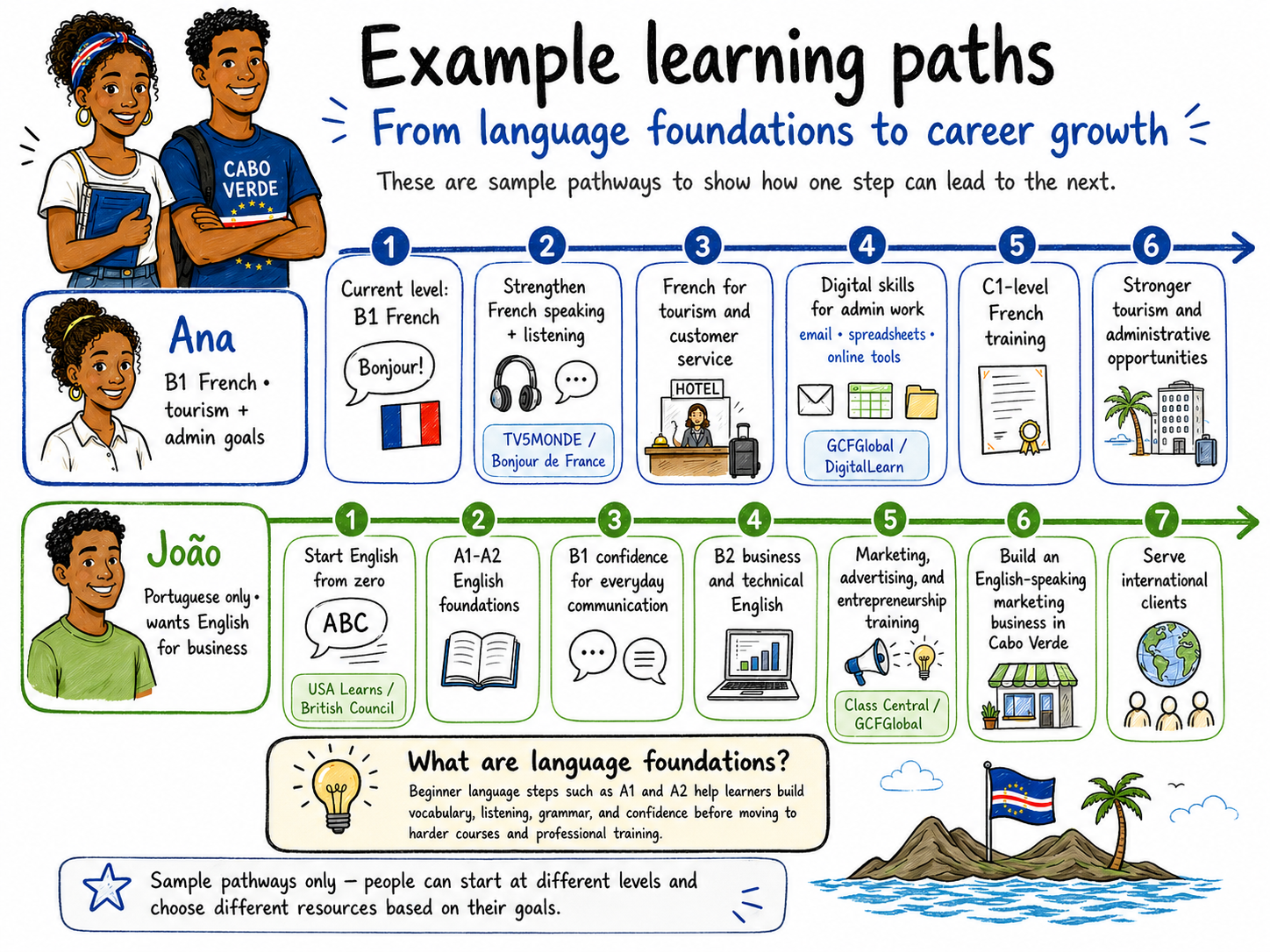
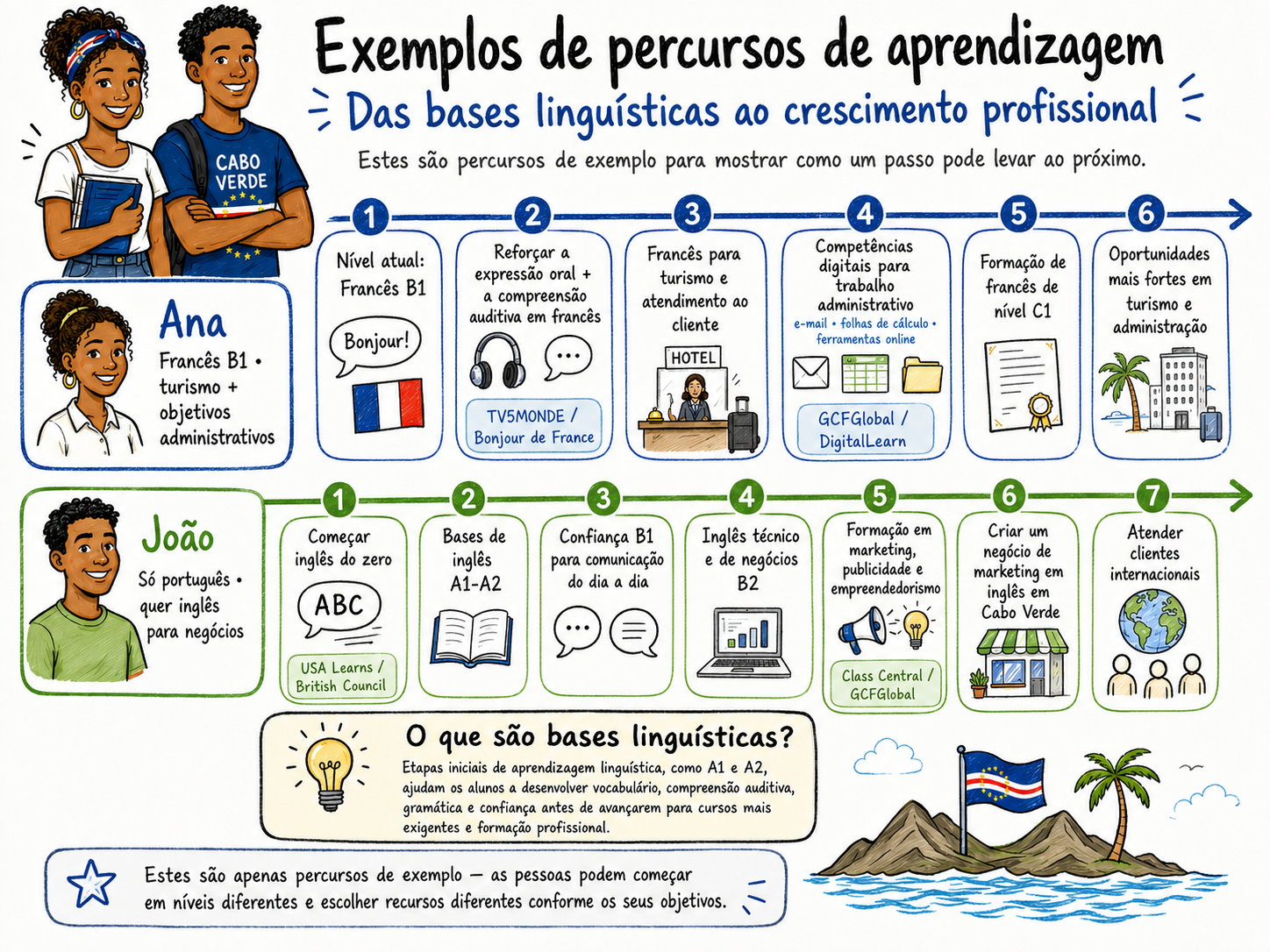
Too many links can stop action. These pathways point you to the most realistic first click.
It guides you to useful resources created by other organizations and platforms.
Always confirm final deadlines, costs, certificates, eligibility, and requirements on the official provider page.
Start here for learning opportunities that are open now, scheduled soon, or worth checking for the next cycle.
Use the guide or filters to avoid reading the full directory at once.
When can I start?
Before you act: Listings can change, so confirm dates, cost, certificates, eligibility, and registration on the official provider page. Some entries are large gateway platforms (Class Central, GCFGlobal, Khan Academy, Microsoft Learn, IBM SkillsBuild, DigitalLearn, FUN MOOC) — open the provider site and search inside it for your exact subject. Use your browser’s Translate option if needed.
Search accepts common English, Portuguese, Spanish, French, Dutch, Ukrainian, and Russian terms.
Not seeing your exact subject? Try broader words like business, design, computer, engineering, tourism, finance, English, Portuguese/português, AI, or customer service. Some large platforms include many topics not listed one by one here; open the official provider page and search inside that platform for your exact topic.
Location filters may include resources physically based in a place, Cabo Verde-wide resources, and online resources usable from anywhere. Always check the provider page for exact location, eligibility, and access.
Results update while you type or change filters. Use Update results if you want to refresh manually.
Use Save resource on any card to build a list, then open Saved to copy, email, or download it. Your saved list stays only on this browser/device — nothing is sent to a server — so copy, email, or download it before switching devices, browsers, or translated pages.
Browse resources grouped by provider. Open a provider to see its courses and resources.
Location note: Directory tabs help you browse by location or reach. Island tabs prioritize resources physically based in that island or explicitly listed for that island. Cabo Verde-wide and online resources remain available under the national/online tabs.
This hub improves when people suggest corrections, share opportunities, and help others take the first step.
Receive occasional resource updates when a stable update channel is available.
Send a useful program, course, organization, or correction for review.
Ask for help choosing a realistic first resource or understanding enrollment steps.
Offer a short workshop, career talk, language practice session, or professional guidance.
Help with research, translation, design, link testing, outreach, or workshops.
Support for workshops, equipment, or learning access should be discussed transparently through an appropriate channel.
Help keep this useful: Send the resource name, what changed, and the official link. If a button does not open, email jasonlmjones@gmail.com directly, or use “Copy message template” below and paste it into your email, WhatsApp, or notes app.
Google Translate can make the hub easier to read. / O Google Translate pode facilitar a leitura do hub.
Google Translate helps you read this hub in another language. If Google shows a warning while browsing or filtering, tap OK and continue.
For applications, registration, payments, or personal information, open the official provider page directly.
O Google Translate ajuda a ler este hub noutra língua. Se o Google mostrar um aviso enquanto navega ou usa filtros, toque em OK e continue.
Para candidaturas, inscrições, pagamentos ou dados pessoais, abra diretamente a página oficial do fornecedor.
Answer a few quick questions. Nothing is submitted or stored; this only filters the page on your device.
This guide is not a test. Pick the closest goal for today so the hub can show a useful starting point.